WireGuard is a cutting-edge, open-source communication protocol designed to deliver a faster, simpler, and more secure Virtual Private Network (VPN) experience than legacy protocols like OpenVPN or IPsec. By utilizing state-of-the-art cryptography, it establishes an encrypted “tunnel” between devices, ensuring your data remains private and untamperable.
Its primary purpose is to safeguard internet privacy and bypass geographical restrictions without sacrificing performance. Because of its extremely lean codebase, WireGuard is exceptionally efficient. It has become the gold standard for low-power mobile devices, high-speed streaming, and secure corporate remote access—all while drastically reducing battery drain and connection latency.
Which Cryptographic Protocols Power WireGuard?
WireGuard is built on a streamlined foundation of modern, high-speed cryptographic primitives. Unlike older VPN protocols that offer a sprawling “menu” of encryption options—many of which are now obsolete or vulnerable—WireGuard uses a fixed, “opinionated” suite of protocols. This design choice eliminates the security flaws often introduced by cipher suite negotiation.
Key Cryptographic Foundations
- ChaCha20 for Symmetric Encryption: Delivers blazing-fast encryption, particularly on mobile devices and CPUs that lack hardware acceleration for older standards like AES.
- Poly1305 for Message Authentication: Works alongside ChaCha20 to guarantee that data packets have not been tampered with during transmission (RFC 7539).
- Curve25519 for Key Exchange: Employs Elliptic Curve Diffie-Hellman (ECDH) to allow two parties to securely establish shared secret keys over an untrusted network.
- BLAKE2s for Hashing: Handles high-speed hashing and message authentication, outperforming older standards like SHA-3 while maintaining top-tier security.
- SipHash24 for Hashtable Keys: A specialized primitive designed to protect the system against specific types of denial-of-service (DoS) attacks.
- HKDF for Key Derivation: Ensures that the keys used for data encryption are uniquely strong and cryptographically isolated.
How Does the WireGuard Protocol Work?
The genius of WireGuard lies in a concept called Cryptographic Key Routing. Instead of relying on complex certificate authorities or protracted connection handshakes, WireGuard binds a unique public key directly to a list of authorized internal IP addresses for each peer.
When a packet is received, the system instantly verifies its cryptographic signature against the public key and checks if the source IP matches the allowed routing table. If there is even a minor mismatch, the packet is silently dropped. This allows WireGuard to function with incredible efficiency, behaving more like a simple, lightweight network interface than a heavy software service.
A Silent and Stateless Architecture
Unlike legacy protocols that demand constant background chatter to keep a tunnel open, WireGuard is virtually stateless and remains completely silent when not transmitting data.
- 1-RTT Handshake: It utilizes a highly optimized handshake that completes in a single round-trip, spinning up a secure connection in milliseconds.
- Zero Background Noise: By eliminating unnecessary “keep-alive” packets, it dramatically cuts down on CPU cycles and saves smartphone battery life.
- UDP-Only Design: WireGuard relies entirely on UDP for data transport, bypassing the inherent performance bottlenecks and latency issues that plague older TCP-based implementations.
Advantages and Disadvantages of WireGuard VPN
The Pros
- Exceptional Speed: Operating directly within the system kernel space allows WireGuard to consistently outperform OpenVPN in both raw throughput and latency.
- Radical Simplicity: With a codebase of roughly 4,000 lines (compared to OpenVPN’s 100,000+), it is incredibly easy for security experts to audit, leaving fewer places for bugs or vulnerabilities to hide.
- Mobile Efficiency: Its “silent when idle” nature significantly extends the battery life of smartphones and tablets.
- Seamless Roaming: WireGuard handles network handoffs beautifully; your connection will not drop or stall when switching from Wi-Fi to cellular data.
The Cons
⚠️ Important Privacy & Compatibility Notes:
- Static IP Mapping: Out of the box, WireGuard’s architecture stores user IP addresses on the server indefinitely to facilitate its instant reconnection feature. While premium VPN providers have engineered custom solutions (like dynamic IP assignment) to bypass this, raw WireGuard is not inherently “log-free.”
- Easier to Block: Because it defaults strictly to UDP, WireGuard can be easier for restrictive corporate firewalls or government censors to block compared to OpenVPN’s highly adaptable TCP modes.
- Legacy Gaps: Being a modern protocol, it may lack native support on aging legacy hardware or specialized enterprise networking equipment that hasn’t been updated.
Is WireGuard Better Than OpenVPN or IKEv2?
Whether WireGuard is better than its predecessors depends entirely on your specific needs, though in 2026, it has become the default choice for most general users. Here is how they stack up side-by-side:
| Feature | WireGuard | OpenVPN | IKEv2/IPsec |
|---|---|---|---|
| Codebase Size | ~4,000 lines (Extremely lean) | 100,000+ lines (Bloated) | Complex (Varies by vendor) |
| Speed & Latency | Excellent (Kernel-level) | Average to Slow | Fast (Slower on modern tech) |
| Censorship Bypassing | Weak (UDP only, easily blocked) | Excellent (TCP Port 443 / HTTPS) | Weak (Fixed ports) |
| Mobile Roaming | Excellent (Instant) | Poor (Frequent drops) | Excellent (MOBIKE support) |
| Battery Consumption | Very Low | High | Moderate |
The Verdict:
- Choose WireGuard for raw speed, gaming, streaming, and maximum battery efficiency on modern devices.
- Choose OpenVPN if you are operating in highly restrictive censorship environments and need to mask your VPN traffic as standard web traffic.
- Choose IKEv2 as a reliable fallback for mobile stability on older hardware that possesses built-in AES acceleration.
How to Set Up and Use WireGuard VPN
Setting up WireGuard moves away from tedious certificate management in favor of simple public and private key pairs.
Method 1: Through a Commercial VPN Provider (Easiest)
For the vast majority of users, the simplest route is using a premium VPN service.
- Open your VPN app and head to the Settings or Connection menu.
- Under the Protocol section, toggle your selection to WireGuard.
- The app automatically handles key generation and server handshakes behind the scenes, letting you connect to a global network with a single click.
Method 2: Manual / Private Server Setup (Advanced)
If you are deploying WireGuard on your own private server:
- Install the WireGuard software on both the host and client devices.
- Generate secure public and private key pairs for each device via simple command-line tools.
- Create a configuration file (typically
wg0.conf) defining the interface settings, private keys, assigned internal IPs, and the “Peers” section (containing the server’s public key and endpoint). - Import the configuration file on your desktop or simply scan a generated QR code on your mobile device to launch the tunnel.
Platform and Device Compatibility
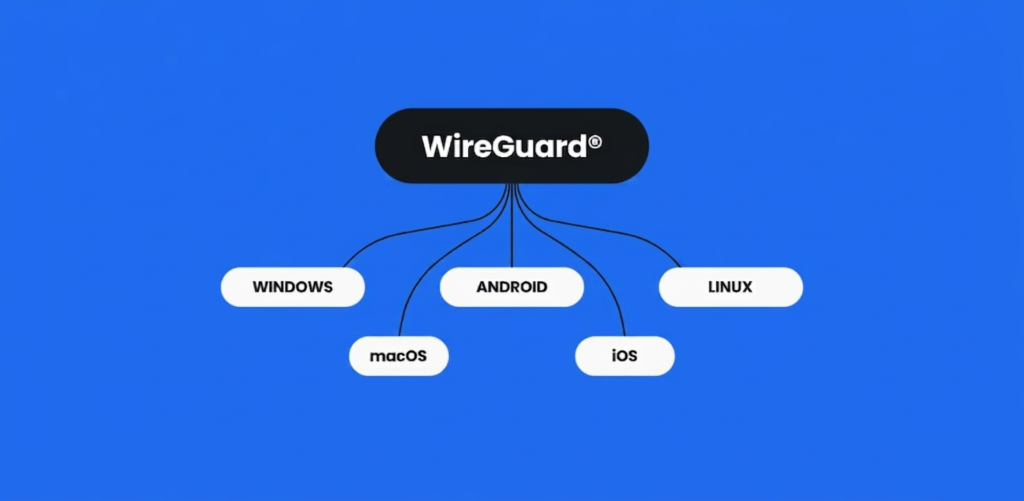
WireGuard has achieved near-universal compatibility across modern operating systems and hardware platforms:
- Linux & BSD: Natively integrated directly into the Linux kernel for peak performance, with robust support across the BSD family (FreeBSD, OpenBSD, NetBSD).
- Desktop: Highly polished, dedicated official clients are available for Windows (7 through 11) and macOS.
- Mobile: Lightweight official apps on Android and iOS ensure seamless network switching and minimal battery drain on the move.
- Smart TVs & Routers: Increasingly pre-installed or supported on streaming hardware like Amazon Fire TV and Apple TV, as well as modern router firmwares like OpenWrt, pfSense, and OPNsense.