When you set up a Virtual Private Network (VPN), you are often presented with a technical choice that can significantly impact your internet experience: should you use TCP or UDP?
If you are using a protocol like OpenVPN, you will usually see options for both. While they might look like confusing alphabet soup, understanding the difference between TCP and UDP is crucial for optimizing your VPN for speed, reliability, and security.
In this comprehensive guide, we will break down exactly what TCP and UDP are, how they function within VPN connections, and which one you should choose based on your online activities.
What Are TCP and UDP?
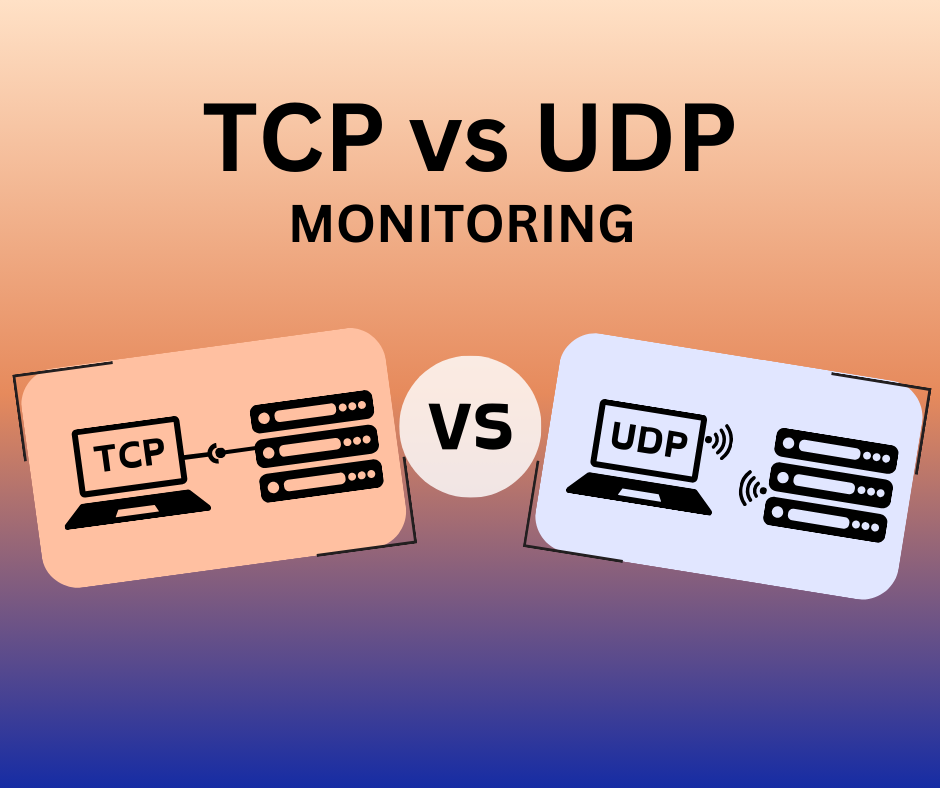
At their core, both TCP (Transmission Control Protocol) and UDP (User Datagram Protocol) are foundational protocols of the internet. They belong to the “Transport Layer” of the internet protocol suite, meaning their primary job is to dictate exactly how data packets are sent from your device to a server and back again.
To understand how they work in a VPN, it helps to understand how they handle data fundamentally.
TCP: The “Registered Mail” of the Internet
TCP is a connection-oriented protocol. When your device sends data using TCP, it establishes a formal connection with the receiving server.
TCP guarantees delivery. It numbers every single data packet and requires a “receipt” (acknowledgment) from the destination. If a packet gets lost along the way, TCP stops, requests the missing packet again, and waits until it arrives before moving on.
- The Analogy: Think of TCP as sending a certified letter. The post office guarantees delivery, tracks the route, and makes the recipient sign for it. It is highly secure and reliable, but the extra steps take more time.
UDP: The “Postcard” of the Internet
UDP is a connectionless protocol. It does not establish a formal connection, nor does it ask for receipts. It simply gathers your data packets and fires them at the destination as quickly as possible.
If a few packets are lost in transit (packet loss), UDP doesn’t care. It keeps sending the new data without stopping to recover the old data.
- The Analogy: Think of UDP as dropping a handful of postcards into a mailbox. They will likely all get to the destination quickly, but if one gets lost in the mail, you will never know, and the postal service won’t try to find it.
TCP in VPN Connections: Pros and Cons
When you route your VPN traffic through TCP, you are prioritizing reliability over speed.
The Advantages of TCP
- Guaranteed Data Delivery: Because TCP checks for errors and dropped packets, your data will always arrive intact. This is ideal for downloading files, loading web pages, or sending emails where missing data would break the file.
- Bypassing Firewalls (Stealth): TCP can easily be routed through port 443. This is the exact same port used for standard HTTPS web traffic (like logging into your bank). Because of this, network administrators and restrictive governments have a very hard time distinguishing TCP VPN traffic from normal, secure web browsing. If you are on a strict network (like a school, workplace, or in a country with heavy censorship), TCP is your best friend.
The Disadvantages of TCP
- Slower Speeds: The constant back-and-forth of requesting receipts and re-sending lost packets creates latency (lag).
- The “TCP Meltdown” Effect: Since a VPN encapsulates your data, running a TCP connection inside another TCP connection can sometimes cause the two protocols to over-correct each other, leading to severe network slowdowns.
UDP in VPN Connections: Pros and Cons
When you route your VPN traffic through UDP, you are prioritizing speed over perfect reliability. For most consumer VPN users, UDP is the default and preferred setting.
The Advantages of UDP
- Blazing Fast Speeds: Without the overhead of error-checking and sending acknowledgments, UDP moves data incredibly fast.
- Lower Latency: UDP offers significantly lower ping times, making it the absolute standard for activities that require real-time data transmission.
The Disadvantages of UDP
- Packet Loss: Because there is no error correction, a poor internet connection will result in lost data. In a video stream, this might look like a brief moment of pixelation; in a file download, it could corrupt the file (though the application layer usually catches this).
- Easier to Block: UDP traffic is easier for firewalls and network administrators to identify and block compared to TCP.
TCP vs. UDP: Feature Comparison
Here is a quick breakdown of how the two protocols stack up against each other:
| Feature | TCP (Transmission Control Protocol) | UDP (User Datagram Protocol) |
|---|---|---|
| Connection Type | Connection-oriented | Connectionless |
| Speed | Slower (due to overhead) | Faster (no overhead) |
| Reliability | Extremely High (guaranteed delivery) | Lower (best-effort delivery) |
| Error Correction | Yes (re-transmits lost packets) | No (ignores lost packets) |
| Latency/Ping | Higher | Lower |
| Firewall Evasion | Excellent (can mimic HTTPS traffic) | Poor (easily identifiable) |
Which One Should You Choose?
The choice between TCP and UDP depends entirely on what you are trying to do online and the network environment you are in.
When to Use UDP (Recommended for Daily Use)
For 90% of your daily internet activities, UDP should be your default choice. Choose UDP for:
- Streaming Video and Audio: (Netflix, YouTube, Spotify). If you lose a frame of video, you won’t even notice. Speed is much more important than a missing packet.
- Online Gaming: UDP is essential for gaming. The low latency ensures your button presses register instantly in the game world.
- Video Calls: (Zoom, Skype, Teams). UDP prevents the awkward lag and delays that ruin real-time conversations.
- General Web Browsing: For day-to-day surfing, UDP offers a snappier experience.
When to Use TCP (The Problem Solver)
You should switch your VPN to TCP when you are prioritizing security, data integrity, or trying to bypass restrictions. Choose TCP for:
- Bypassing Strict Firewalls: If your VPN is blocked at work, at a university, or in countries with strong censorship (like China or the UAE), switching to TCP (specifically on port 443) will often get you through.
- Unstable Internet Connections: If you are on a flaky public Wi-Fi network and your VPN keeps disconnecting, TCP’s error correction can help stabilize the connection.
- Secure File Transfers: If you are sending sensitive documents, large databases, or code where a single missing byte could corrupt the entire file, TCP ensures it arrives perfectly.
To summarize, UDP is for speed, and TCP is for reliability. Most modern, high-quality VPN providers default to UDP because it provides the seamless, fast experience users expect for streaming and gaming. However, almost all premium VPNs (especially those using the OpenVPN protocol) allow you to easily toggle between TCP and UDP directly in the app settings.
Pro Tip: Leave your VPN set to UDP for your normal daily activities. If you suddenly find that you cannot connect to a network, your VPN is being blocked by a firewall, or your connection is repeatedly dropping, dive into your settings and switch to TCP. Understanding how to utilize both protocols will ensure you always have a fast, secure, and unrestricted internet experience.